Prepare.
Create the installation. Check devices, meter, cables and communication. Mount and wire with power isolated, following the manual.
Install with Re.Connect
One app for your installer: prepare, connect, test and activate the system.
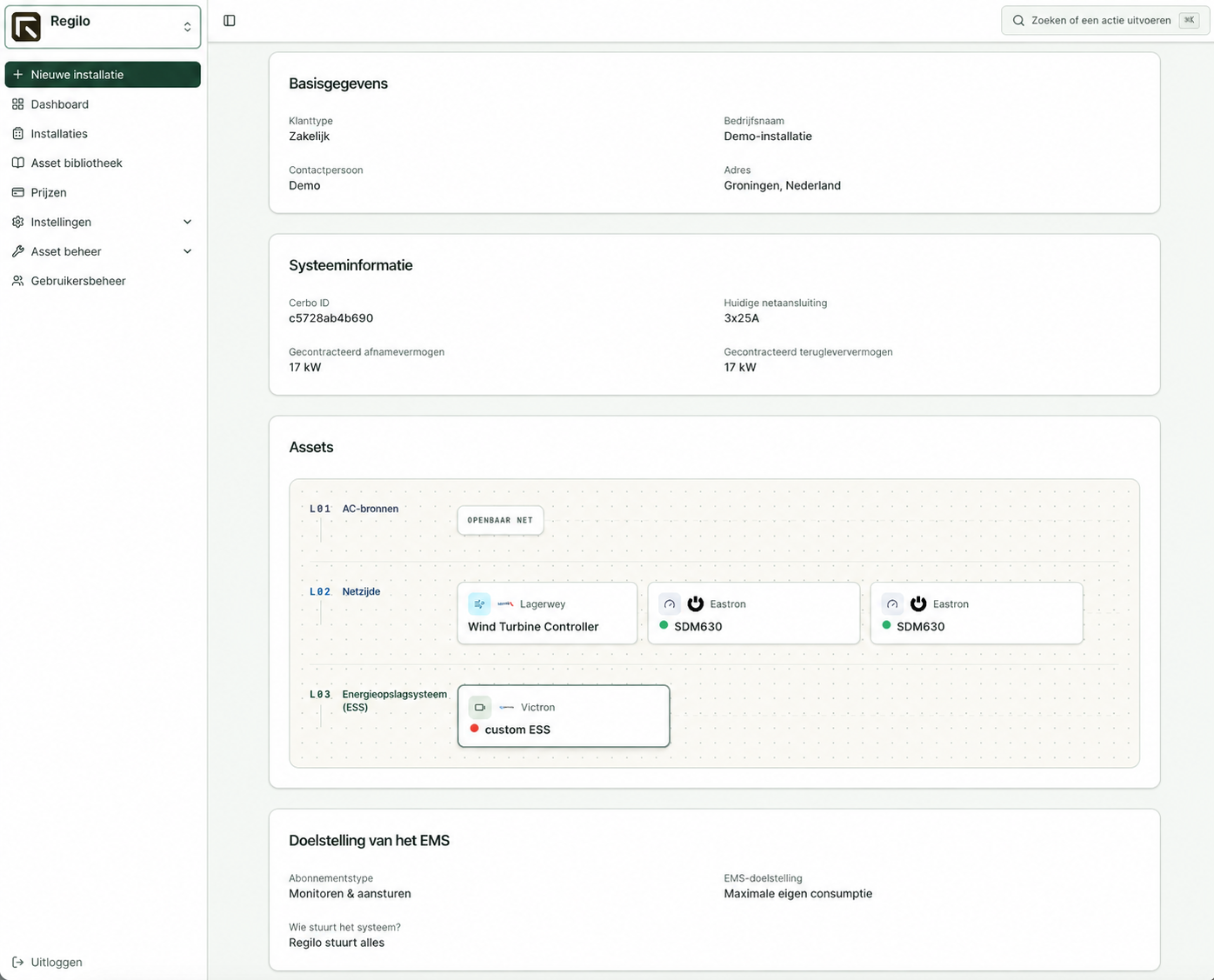
Create the installation. Check devices, meter, cables and communication. Mount and wire with power isolated, following the manual.
Connect the network, check the wiring and switch on the power. Match the VRM Portal ID in the app to the sticker inside Re.Base.
Connect devices and install drivers. Check readings, measurement direction, import and export limits, and agreed control functions.
Your installer activates the battery and system once the tests are correct. They record settings, photos, results and outstanding items.
The installer activates the system. An additional Regilo check is optional and does not replace the installer’s checks. Stop if errors or unexplained readings occur.
See how to add a battery to an installation. This demo does not change a real installation.
 Example installation / 3 assetsInteractive explanation · fictional installation

Layer 3 / energy storage
Choose a brand and model from the asset library.
You place this model on the installation record. Model-specific settings and instructions remain available with this asset.
Select ‘Add battery’ in layer 3.
Example installationSchematic viewTry the workflow
Start the example installation and follow how the drivers are prepared one by one.
Ready to start.
Interactive simulation. No real drivers are installed and no devices are controlled.
Record addresses, network access, grid limits and responsibilities for this site.
Check the basic connections and Re.Base availability before configuring devices.
Check the exact battery model and firmware. Use a suitable driver and test readings, direction and available controls.
Check the supported inverter and driver. Compare generation readings with the actual installation and test the agreed functions.
Check connections → install drivers → verify readings → activate the agreed controls.
Simplified demonstration of the Connect workflow. Nothing is saved or installed. Names and screen details may differ by version.
Manuals and integration steps for the relevant asset. Always check the exact model and firmware.
Additional explanation and AI support. Check advice against the manufacturer documentation. An additional check by Regilo is optional and does not replace your own checks.
Photos, settings, test results and service requests linked to the installation record, including after handover.
A supported energy meter at the grid connection, power for Re.Base, a working network and internet connection, supported devices and the required access rights. Use the quick-start guide together with the full manual and the device instructions in the app.
Authorised administrators and installation partners. View-only access in VRM is recommended for end users. Only an authorised representative accepts the agreement and terms.
As a user, contact your installer, seller or service partner first. The installer checks the installation and submits a service ticket through the Connect.App if needed. Regilo provides second-line product support within the agreed scope.
See how Re.Base, Re.Connect, Regilo EMS and Victron VRM form one energy system. The installer page covers practical preparation, handover and support.