
Built on Victron.
Cerbo GX MK2 with Regilo software. The local connection between your energy meter, supported devices and energy control.
01 / Choose Re.Base
Re.Base connects the devices on your site to Regilo EMS. The current version is built on the Victron Cerbo GX MK2, with Regilo software, a power supply and a 5-port Ethernet switch in one enclosure.
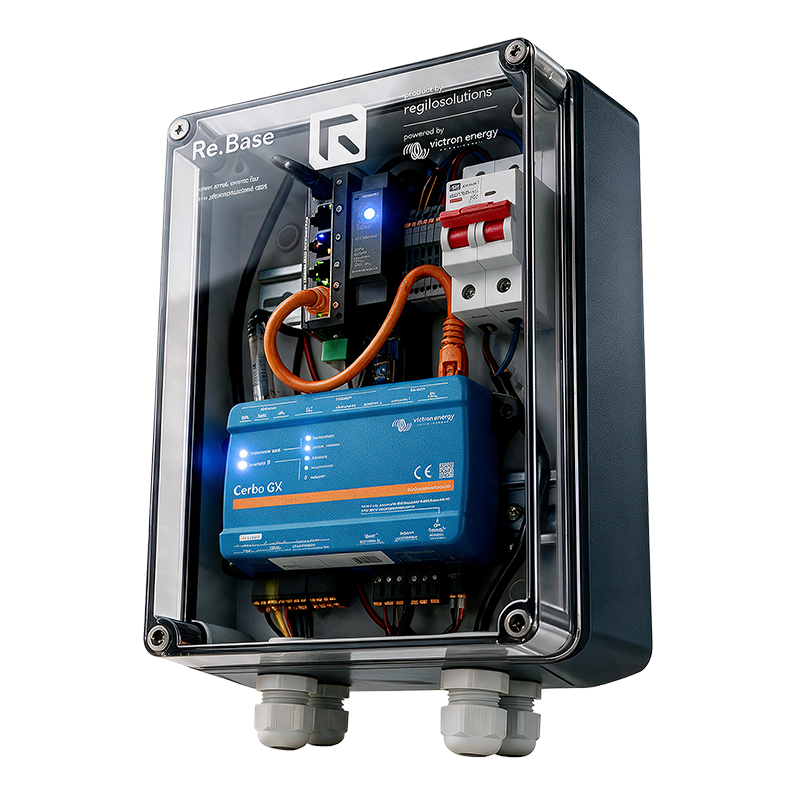
One local controller for measurements, batteries, generation and consumption. Re.Base runs supported local controls according to the configuration and connects your installation to online platform functions.
Cerbo GX MK2 with Regilo software. The local connection between your energy meter, supported devices and energy control.
The power supply, main switch and Ethernet switch are integrated into the enclosure. Arranged together for on-site installation.
A power cable with a Schuko plug and a CAT7 S/FTP network cable, both 2 metres. Supplied and connected in advance.
Controller / connections
Connecting a cable is only the beginning. Hardware, protocol, driver and device must work together.
Network
Connect the controller to the local network. Modbus TCP and network devices use this connection; they are not separate physical ports.
Victron devices
Communication with compatible Victron devices. These connections are not interchangeable with Ethernet, even when the plug looks similar.
Measurements and signals
For supported accessories and signals. Modbus RTU uses a suitable USB/RS485 interface. Additional I/O is possible through a compatible expansion.
Software integrations
Exchange data and build additional logic. Availability depends on software, configuration and agreed integrations.
The supplied Re.Base version and wiring diagram determine the available connections. A matching port does not automatically mean a device is supported.
Check compatibilityThe current Re.Base
The key specifications of the complete Re.Base, including its integrated components. Download the datasheet for the full overview.
PDF · Dutch · version 1.0 · 21 October 2026
Some connections may be in use internally. The supplied version determines what is available for other devices.
Order, connect, activate
Order Re.Base through Connect.App. Your qualified installer mounts and configures the installation with Re.Connect and activates the system after testing.
A supported energy meter at the grid connection, with suitable sensors and the correct measurement direction.
Power according to the product specifications and a working network. Preferably Ethernet through a router or switch with DHCP.
Supported models, firmware, drivers and communication. Your installer checks the combination before installation.
The energy meter, current sensors and additional connection materials are not included as standard. Hardware, installation and the EMS subscription are separate parts of your order.
Only supported and configured local basic controls may continue. Cloud functions, synchronisation, notifications and remote support are limited or unavailable. Agree in advance which local functions remain operational in your configuration.
The supplied version and wiring diagram determine the available connections. Support depends on the combination of hardware, firmware, protocol, driver and intended function. A matching port does not automatically make a device compatible. Check compatibility →
Use the full manual and the device instructions in the Connect.App. Isolate power before mounting or wiring. Do not interrupt power during updates or software installation. Standalone Cerbo GX specifications do not describe the complete Re.Base.